You are in a customer meeting. Someone asks: "What is your API rate limit, and what happens when we hit it?" The answer exists somewhere: page 14 of the API guide, a Confluence page, or the code itself. Start searching and the conversation stalls; say "I'll get back to you" and you lose a little trust.
Piqi is a macOS app I built for that moment. It listens to the meeting, searches your own knowledge base when a product question comes up, and shows a short answer with its source in a small panel at the top of your screen. You still do the talking. Piqi is not a bot that joins the call; it only helps you.

Piqi is open source: github.com/tuncer-byte/piqi. This post explains how it works and why I designed it this way. The app's interface is currently in Turkish, so the screenshots are too.
How it works
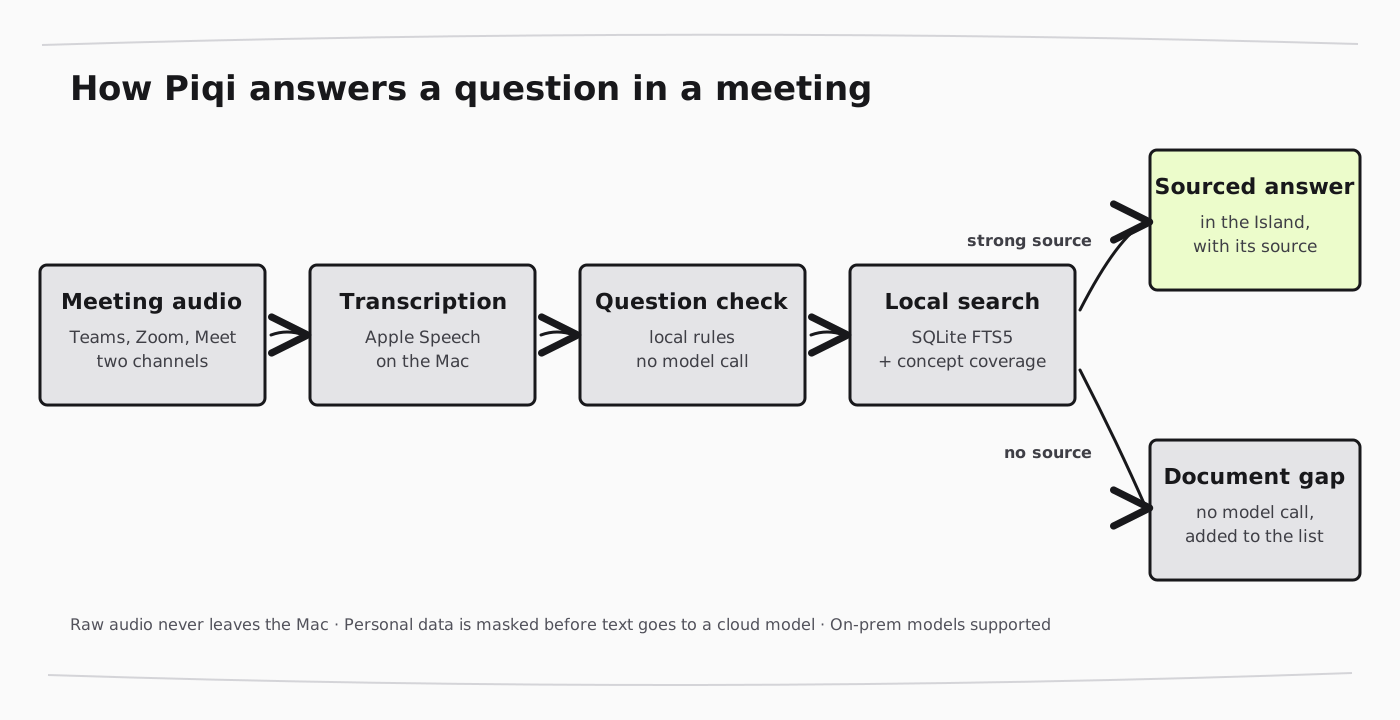
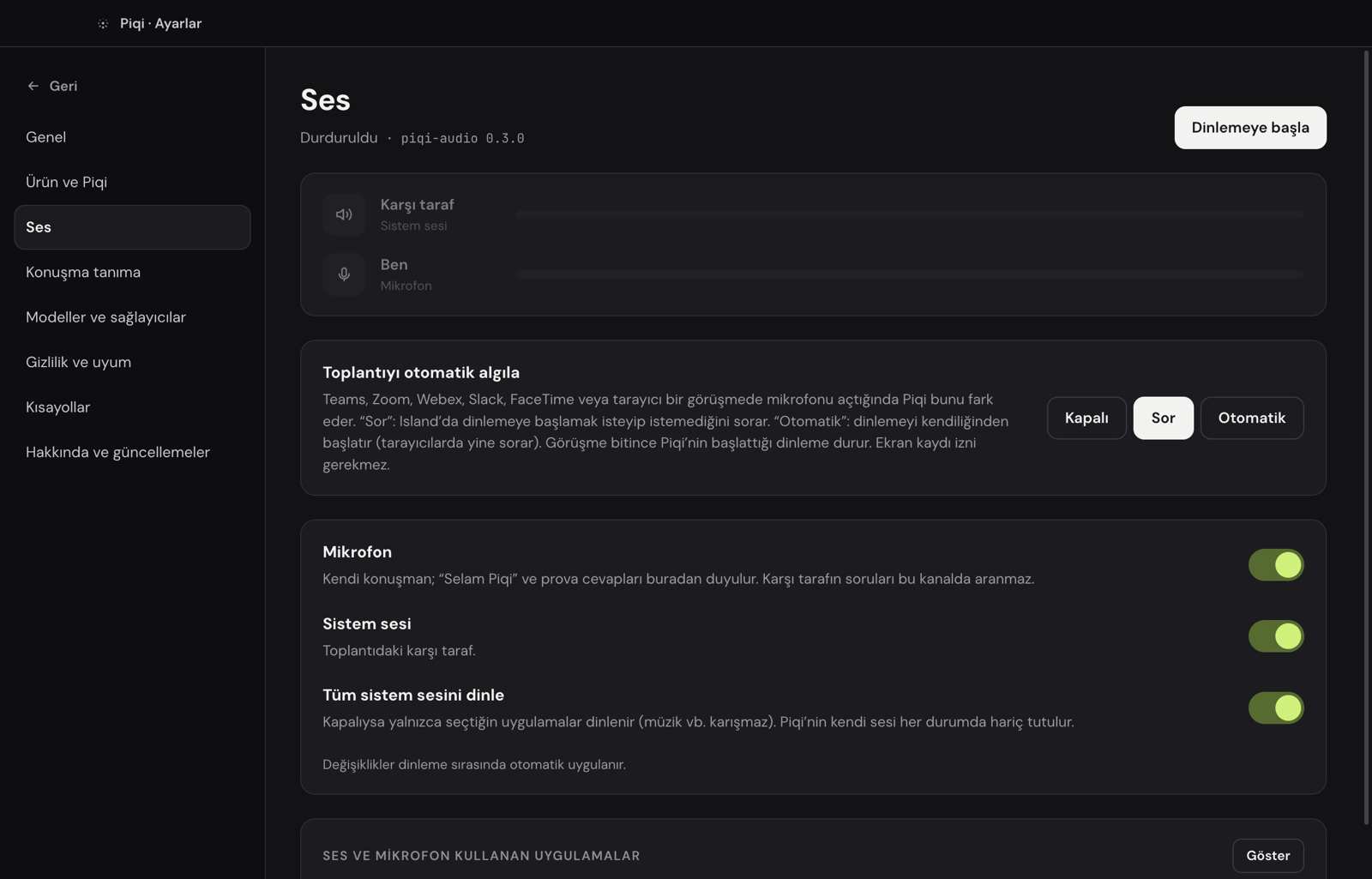
- It detects the meeting. When Teams, Zoom, Webex, Slack, FaceTime, or a browser call starts using the microphone, Piqi notices and asks whether to start listening, or starts on its own if you prefer. It does not need screen-recording permission or window titles; macOS audio process state, which says which app is using the microphone, is enough. When the call ends, listening stops.
- It transcribes on the Mac. Your voice and the other side's audio are captured as two separate channels and transcribed by Apple's on-device speech recognition. Raw audio never leaves the Mac and is never written to disk. Speaker separation on the other side also runs on the device.
- It detects questions locally. Every sentence from the other side is checked without calling a model. Lines like "Can you hear me?" or "Can you see my screen?" are ignored, so no tokens are spent and the panel stays quiet.
- It searches your knowledge base. Search is fully local: BM25 over SQLite FTS5, then reranking by how much of the question each passage actually covers. A Turkish question can find an English document or code, because terms like "hız sınırı" and "rate limit" count as the same concept.
- It answers with a source, or stays quiet. If a strong source exists, the model you selected writes a short answer, shown in the Island with its source. If nothing in your sources covers the question, Piqi does not call a model; it adds the question to Document gaps instead.
The knowledge base: documents, code, and images
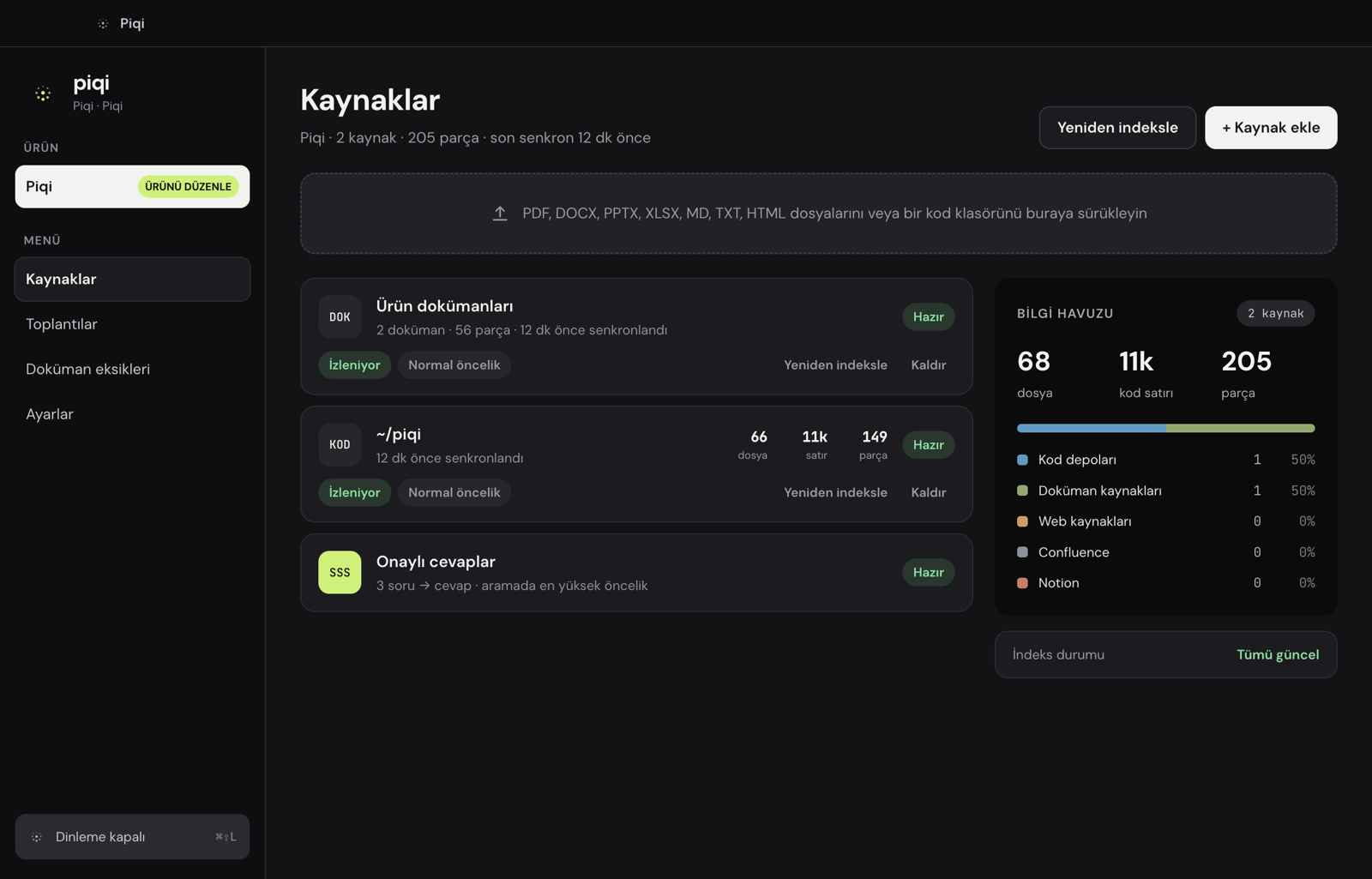
Piqi's answers are only as good as the sources you add, so adding them is meant to be quick: PDF, DOCX, PPTX, XLSX, Markdown, HTML, code repositories (a local folder or a Git URL), web pages, Confluence, Notion, and approved Q&A pairs.
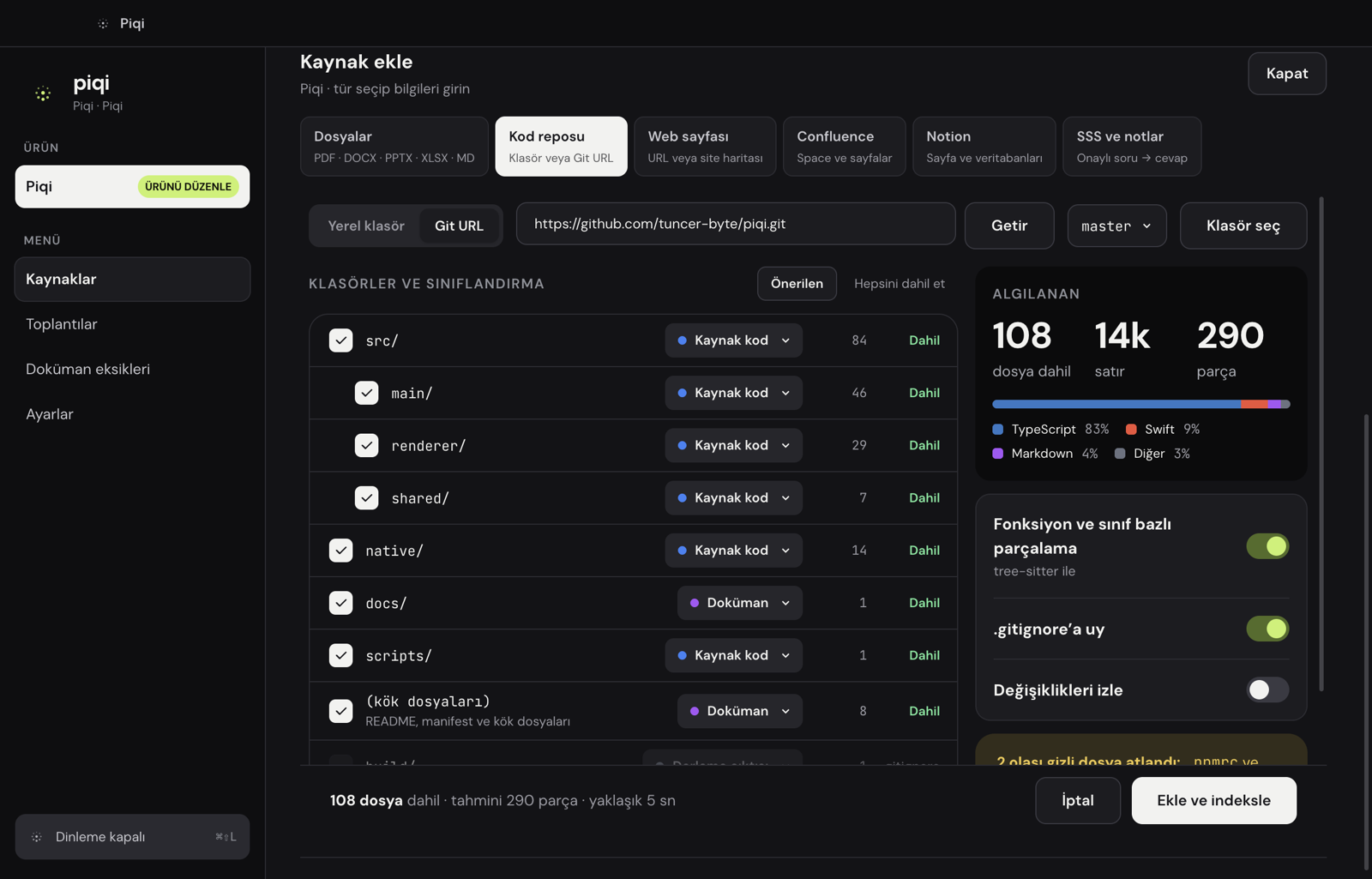
For a code repository, Piqi scans the folder tree, respects .gitignore, and sorts folders into source, documentation, tests, and so on. Code is split at function and class boundaries, so an answer can cite a source down to the line, such as src/auth/RateLimiter.ts:42.
Images can be sources too: architecture diagrams, screenshots, charts, photographed tables. Piqi downsizes each image, then the selected model writes out its text, its components and how they connect, and chart values. That text is searchable like any other document, and an image is analyzed again only if the file changes.
Speed and tokens: send the model less
In a meeting, an answer that arrives a few seconds late is often useless, and most of the delay and cost comes from the context sent to the model. So the search layer does three things:
- It drops weak matches. Passages that score far below the best one are never sent. Every question used to send a fixed six passages; now it is 3.7 on average.
- It sends the relevant part of each passage. Instead of the first N characters, Piqi selects the window that overlaps most with the question, keeping the class or function signature for code.
- It sets a budget per answer type. Spoken, short, and detailed answers each have their own character limit.
Measured on the project's own documentation and code, the source text sent per question dropped from about 7,400 to 3,400 characters.
The learning loop
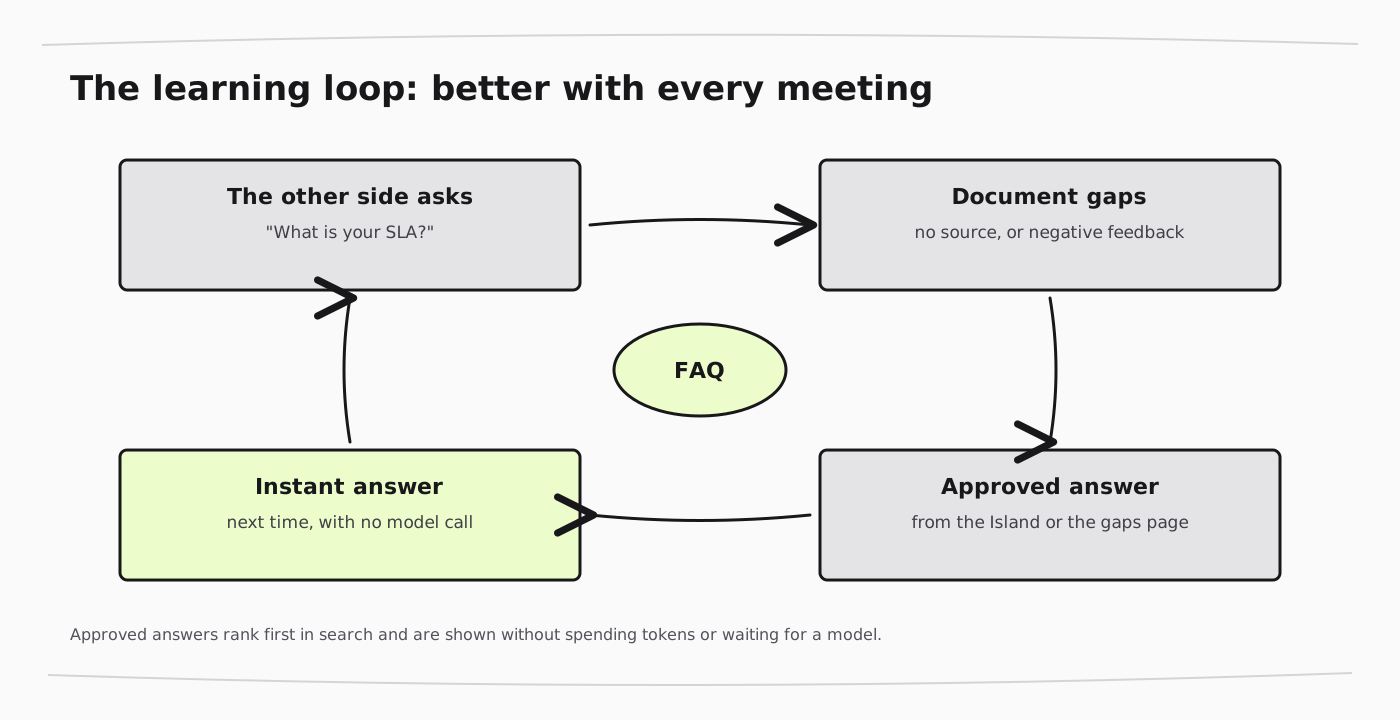
This is the part I find most valuable. Every question that had no matching source, was answered without a source, or got negative feedback is collected on the Document gaps page, along with how many times it was asked. Write an approved answer there once and it becomes an FAQ entry. A good answer in the Island can also be added to the FAQ with one click.
The next time the same question comes up, Piqi does not call a model at all; it shows the approved answer instantly. The more meetings a team has, the faster and cheaper Piqi gets.
After the meeting
When listening stops, the meeting is saved on the Meetings page with its transcript and the answers Piqi prepared during the call. The selected model also writes a summary: a short overview, decisions, who does what, open questions, and a follow-up email draft you can send to the other side. Meetings are stored only on your Mac and are deleted after the retention period you choose (7, 30, or 90 days).
Privacy and enterprise use
I designed Piqi with data-sensitive environments such as banking in mind:
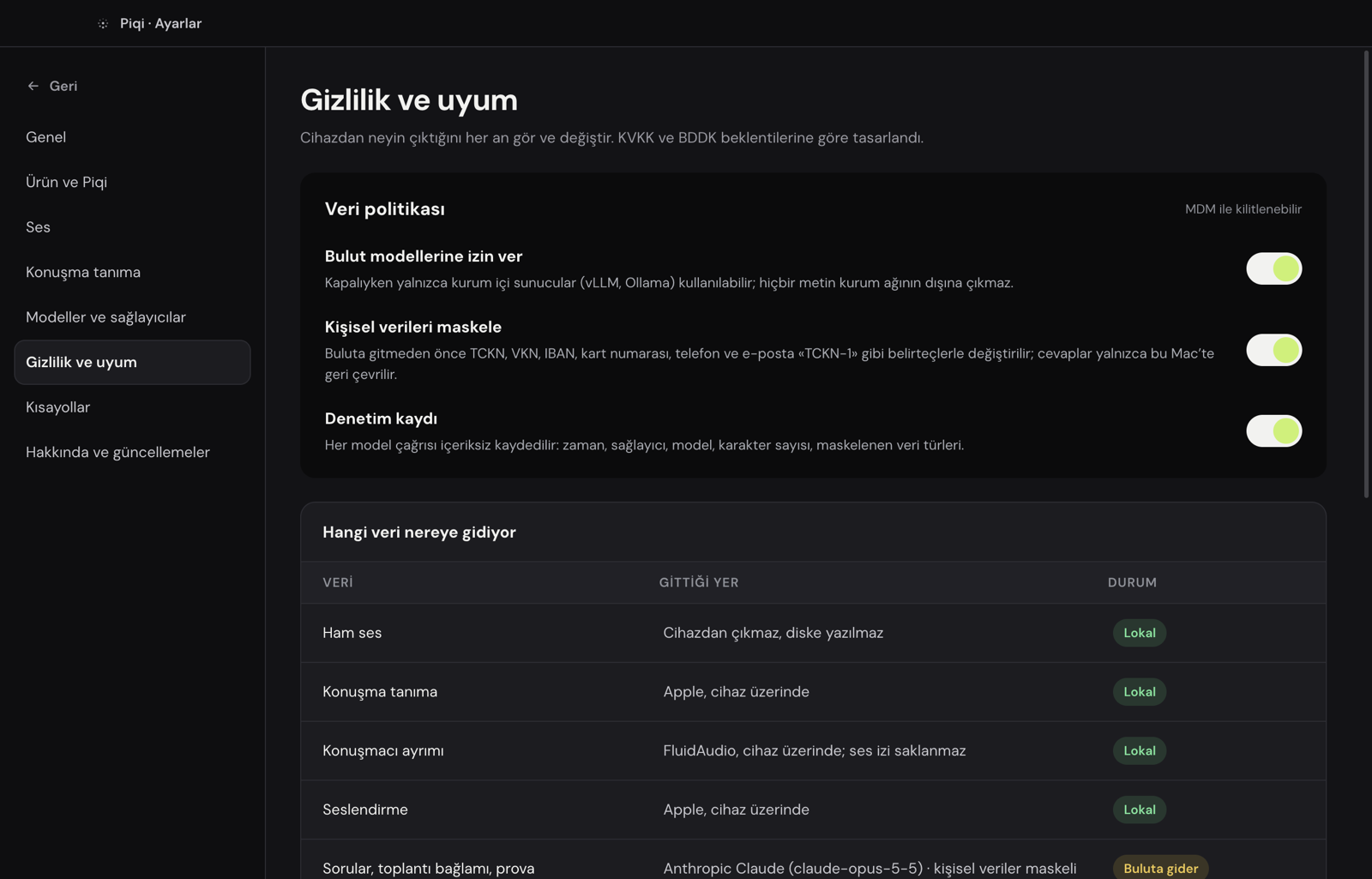
- Personal-data masking. Before text goes to a cloud model, national and tax IDs, IBANs, card numbers, phone numbers, and email addresses are validated with their checksum rules and replaced with tokens. The answer is turned back into real values only on the Mac.
- On-premises models. Anthropic, Google Gemini, and any OpenAI-compatible endpoint are supported, so Piqi can run entirely inside a company network with Ollama or vLLM.
- Managed policy. An IT team can deploy a policy file with MDM to disable cloud models or limit which providers are allowed.
- Audit log. Every model call is recorded without its content: time, provider, model, character counts, and which data types were masked. Question and answer text are never written to the log.
Tech stack
- Interface: Electron, React, and Tailwind. The Island is a small panel at the top of the screen that can be hidden from screen sharing.
- Audio helper (Swift): a Core Audio process tap captures the meeting app's audio alongside the microphone as two channels; speech recognition uses Apple Speech, and speaker separation uses FluidAudio, all on the device.
- Speech output (Rust): EMA Lightning, running on the device, for spoken Turkish answers.
- Knowledge base: Node's built-in SQLite with FTS5; no embedding model or separate database server required.
Install
Download the latest release from the Releases page and drag Piqi to Applications. It needs macOS 14.4 or later on Apple silicon. The release is not yet notarized by Apple, so macOS blocks the first launch; allow it in System Settings → Privacy & Security → Open Anyway. Then add a model provider in Settings and add your first source.
What's next
- A Developer ID signed and notarized release, with automatic updates
- A "golden question set" built from your own documents, to measure search quality
- Combining semantic (embedding) search with the existing local search
If you try Piqi or want to contribute, open an issue on GitHub or reach out to me directly.

