We will attempt to do the impossible: a fair benchmark comparison between several popular code search tools. Specifically, we will dive into a series of 25 benchmarks that substantiate the following claims:
As someone who has worked on text search in Rust in their free time for the last 2.5 years, and as the author of both ripgrep and the underlying regular expression engine , I will use this opportunity to provide detailed insights into the performance of each code search tool. No benchmark will go unscrutinized!
Target audience : Some familiarity with Unicode, programming and some experience with working on the command line.
NOTE : I m hearing reports from some people that rg isn t as fast as I ve claimed on their data. I d love to help explain what s going on, but to do that, I ll need to be able to reproduce your results. If you file an issue with something I can reproduce, I d be happy to try and explain it.
In other words, use ripgrep if you like speed, filtering by default, fewer bugs and Unicode support.
I d like to try to convince you why you shouldn t use ripgrep . Often, this is far more revealing than reasons why I think you should use ripgrep .
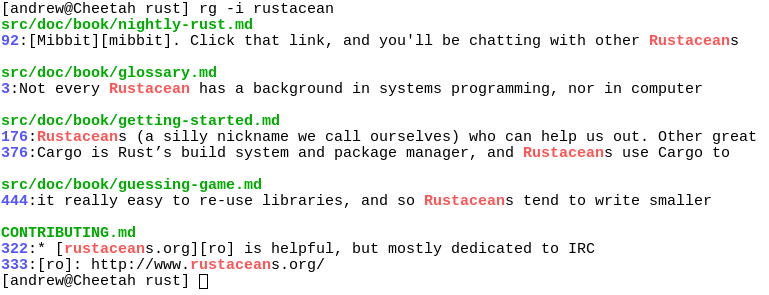
Screenshot of search results
Despite initially not wanting to add every feature under the sun to ripgrep, over time, ripgrep has grown support for most features found in other file searching tools. This includes searching for results spanning across multiple lines, and opt-in support for PCRE2, which provides look-around and backreference support.
At this point, the primary reasons not to use ripgrep probably consist of one or more of the following:
Binaries for ripgrep are available for Windows, Mac and Linux. Linux binaries are static executables. Windows binaries are available either as built with MinGW (GNU) or with Microsoft Visual C++ (MSVC). When possible, prefer MSVC over GNU, but you ll need to have the Microsoft VC++ 2015 redistributable installed.
$ brew install ripgrep If you re an Archlinux user, then you can install ripgrep from the official repos:
$ pacman -Syu ripgrep If you re a Rust programmer , ripgrep can be installed with cargo :
$ cargo install ripgrep If you d like to build ripgrep from source, that is also easy to do. ripgrep is written in Rust, so you ll need to grab a Rust installation in order to compile it. ripgrep compiles with Rust 1.9 (stable) or newer. To build:
$ git clone git://github.com/BurntSushi/ripgrep $ cd ripgrep $ cargo build --release $ ./target/release/rg --version 0.1.2 If you have a Rust nightly compiler, then you can enable optional SIMD acceleration like so, which is used in all benchmarks reported in this article.
Introducing ripgrep
RUSTFLAGS = -C target-cpu=native cargo build --release --features simd-accel Whirlwind tour The command line usage of ripgrep doesn t differ much from other tools that perform a similar function, so you probably already know how to use ripgrep . The full details can be found in rg --help , but let s go on a whirlwind tour.
ripgrep detects when its printing to a terminal, and will automatically colorize your output and show line numbers, just like The Silver Searcher. Coloring works on Windows too! Colors can be controlled more granularly with the --color flag.
One last thing before we get started: generally speaking, ripgrep assumes the input is reading is UTF-8. However, if ripgrep notices a file is encoded as UTF-16, then it will know how to search it. For other encodings, you ll need to explicitly specify them with the -E/--encoding flag.
To recursively search the current directory, while respecting all .gitignore files, ignore hidden files and directories and skip binary files:
$ rg foobar The above command also respects all .rgignore files, including in parent directories. .rgignore files can be used when .gitignore files are insufficient. In all cases, .rgignore patterns take precedence over .gitignore .
To ignore all ignore files, use -u . To additionally search hidden files and directories, use -uu . To additionally search binary files, use -uuu . (In other words, search everything, dammit! ) In particular, rg -uuu is similar to grep -a -r .
$ rg -uu foobar # similar to grep -r $ rg -uuu foobar # similar to grep -a -r (Tip: If your ignore files aren t being adhered to like you expect, run your search with the --debug flag.)
Anti-pitch
Make the search case insensitive with -i , invert the search with -v or show the 2 lines before and after every search result with -C2 .
$ rg '([A-Z][a-z]+)\s+([A-Z][a-z]+)' --replace '$2, $1' Named groups are supported:
$ rg '(?P[A-Z][a-z]+)\s+(?P[A-Z][a-z]+)' --replace '$last, $first' Up the ante with full Unicode support, by matching any uppercase Unicode letter followed by any sequence of lowercase Unicode letters (good luck doing this with other search tools!):
$ rg '(\p{Lu}\p{Ll}+)\s+(\p{Lu}\p{Ll}+)' --replace '$2, $1' Search only files matching a particular glob:
$ rg -thtml -tcss foobar Search everything except for Javascript files:
$ rg -Tjs foobar To see a list of types supported, run rg --type-list . To add a new type, use --type-add , which must be accompanied by a pattern for searching ( rg won t persist your type settings):
$ rg --type-add 'foo:*.{foo,foobar}' -tfoo bar The type foo will now match any file ending with the .foo or .foobar extensions.
Installation
Before we dive into benchmarks, I thought it might be useful to provide a high level overview of how a grep-like search tool works, with a special focus on ripgrep in particular. The goal of this section is to provide you with a bit of context that will help make understanding the analysis for each benchmark easier.
Modulo parsing command line arguments, the first real step in any search tool is figuring out what to search. Tools like grep don t try to do anything smart: they simply search the files given to it on the command line. An exception to this is the -r flag, which will cause grep to recursively search all files in the current directory. Various command line flags can be passed to control which files are or aren t searched.
ack came along and turned this type of default behavior on its head. Instead of trying to search everything by default, ack tries to be smarter about what to search. For example, it will recursively search your current directory by default , and it will automatically skip over any source control specific files and directories (like .git ). This method of searching undoubtedly has its own pros and cons, because it tends to make the tool smarter, which is another way of saying opaque. That is, when you really do need the tool to search everything, it can sometimes be tricky to know how to speak the right incantation for it to do so. With that said, being smart by default is incredibly convenient, especially when smart means figure out what to search based on your source control configuration. There s no shell alias that can do that with grep .
All of the other search tools in this benchmark share a common ancestor with either grep or ack . sift is descended from grep , while ag , ucg , and pt are descended from ack . ripgrep is a bit of a hybrid because it was specifically built to be good at searching huge files just like grep , but at the same time, provide the smart kind of default searching like ack . Finally, git grep deserves a bit of a special mention. git grep is very similar to plain grep in the kinds of options it supports, but its default mode of searching is clearly descended from ack : it will only search files checked into source control.
Of course, both types of search tools have a lot in common, but there are a few broad distinctions worth making if you allow yourself to squint your eyes a bit:
For an ack -like tool, it is important to figure out which files to search in the current directory. This means using a very fast recursive directory iterator, filtering file paths quickly and distributing those file paths to a pool of workers that actually execute the search.
Directory traversal can be tricky because some recursive directory iterators make more stat calls than are strictly necessary, which can have a large impact on performance. It can be terribly difficult to track down these types of performance problems because they tend to be buried in a standard library somewhere. Python only recently fixed this , for example. Rest assured that ripgrep uses a recursive directory iterator that makes the minimum number of system calls possible.
Whirlwind tour
Filtering file paths requires not only respecting rules given at the command line (e.g., grep s --include or --exclude ) flags, but also requires reading files like .gitignore and applying their rules correctly to all file paths. Even the mere act of looking for a .gitignore file in every directory can have measurable overhead! Otherwise, the key performance challenge with this functionality is making sure you don t try to match every ignore rule individually against every file path. Large repositories like the Linux kernel source tree have over a hundred .gitignore files with thousands of rules combined.
Finally, distributing work to other threads for searching requires some kind of synchronization. One solution is a mutex protected ring buffer that acts as a sort of queue, but there are lock-free solutions that might be faster. Rust s ecosystem is so great that I was able to reuse a lock-free Chase-Lev work-stealing queue for distributing work to a pool of searchers. Every other tool that parallelizes work in this benchmark uses a variant of a mutex protected queue. ( sift and pt might not fit this criteria, since they use Go channels, and I haven t followed any implementation improvements to that code for a few years.)
Searching is the heart of any of these tools, and we could dig ourselves into a hole on just this section alone and not come out alive for at least 2.5 years. (Welcome to How Long I ve Been Working On Text Search In Rust. ) Instead, we will lightly touch on the big points.
First up is the regex engine. Every search tool supports some kind of syntax for regular expressions. Some examples:
Regular expression engines themselves tend to be divided into two categories predominantly based on the features they expose. Regex engines that provide support for all of the above tend to use an approach called backtracking , which is typically quite fast, but can be very slow on some inputs. Very slow in this case means that it might take exponential time to complete a search. For example, try running this Python code:
import re >>> re . search ( '(a*)*c' , 'a' * 30 ) Even though both the regex and the search string are tiny, it will take a very long time to terminate, and this is because the underlying regex engine uses backtracking, and can therefore take exponential time to answer some queries.
The other type of regex engine generally supports fewer features and is based on finite automata. For example, these kinds of regex engines typically don t support back-references. Instead, these regex engines will often provide a guarantee that all searches , regardless of the regex or the input, will complete in linear time with respect to the search text.
Regex syntax
It s worth pointing out that neither type of engine has a monopoly on average case performance. There are examples of regex engines of both types that are blazing fast. With that said, here s a breakdown of some search tools and the type of regex engine they use:
Both Rust s regex library and Go s regex library share Google s RE2 as a common ancestor.
Finally, both tools that use PCRE (The Silver Searcher and Universal Code Grep) are susceptible to worst case backtracking behavior. For example:
$ cat wat c aaaaaaaaaaaaaaaaaaaaaaaaaaaaaa c $ ucg '(a*)*c' wat terminate called after throwing an instance of 'FileScannerException' what () : PCRE2 match error: match limit exceeded Aborted ( core dumped ) The Silver Searcher fails similarly. It reports the first line as a match and neglects the match in the third line. The rest of the search tools benchmarked in this article handle this case without a problem.
Picking a fast regex engine is important, because every search tool will need to rely on it sooner or later. Nevertheless, even the performance of the fastest regex engine can be dwarfed by the time it takes to search for a simple literal string. Boyer-Moore is the classical algorithm that is used to find a substring, and even today, it is hard to beat for general purpose searching. One of its defining qualities is its ability to skip some characters in the search text by pre-computing a small skip table at the beginning of the search.
On modern CPUs, the key to making a Boyer-Moore implementation fast is not necessarily the number of characters it can skip, but how fast it can identify a candidate for a match. For example, most Boyer-Moore implementations look for the last byte in a literal. Each occurrence of that byte is considered a candidate for a match by Boyer-Moore. It is only at this point that Boyer-Moore can use its precomputed table to skip characters, which means you still need a fast way of identifying the candidate in the first place. Thankfully, specialized routines found in the C standard library, like memchr , exist for precisely this purpose. Often, memchr implementations are compiled down to SIMD instructions that examine sixteen bytes in a single loop iteration. This makes it very fast. On my system, memchr often gets throughputs at around several gigabytes a second. (In my own experiments, Boyer-Moore with memchr can be just as fast as an explicit SIMD implementation using the PCMPESTRI instruction, but this is something I d like to revisit.)
For a search tool to compete in most benchmarks, either it or its regex engine needs to use some kind of literal optimizations. For example, Rust s regex library goes to great lengths to extract both prefix and suffix literals from every pattern. The following patterns all have literals extracted from them:
Gathering files to search
If any of these patterns appear at the beginning of a regex, Rust s regex library will notice them and use them to find candidate matches very quickly (even when there is more than one literal detected). While Rust s core regex engine is fast, it is still faster to look for literals first, and only drop down into the core regex engine when it s time to verify a match.
The best case happens when an entire regex can be broken down into a single literal or an alternation of literals. In that case, the core regex engine won t be used at all!
A search tool in particular has an additional trick up its sleeve. Namely, since most search tools do line-by-line searching (The Silver Searcher is a notable exception, which does multiline searching by default), they can extract non-prefix or inner literals from a regex pattern, and search for those to identify candidate lines that match. For example, the regex \w+foo\d+ could have foo extracted. Namely, when a candidate line is found, ripgrep will find the beginning and end of only that line, and then run the full regex engine on the entire line. This lets ripgrep very quickly skip through files by staying out of the regex engine. Most of the search tools we benchmark here don t perform this optimization, which can leave a lot of performance on the table, especially if your core regex engine isn t that fast.
Handling the case of multiple literals (e.g., foo|bar ) is just as important. GNU grep uses a little known algorithm similar to Commentz-Walter for searching multiple patterns. In short, Commentz-Walter is what you get when you merge Aho-Corasick with Boyer-Moore: a skip table with a reverse automaton. Rust s regex library, on the other hand, will either use plain Aho-Corasick, or, when enabled, a special SIMD algorithm called Teddy , which was invented by Geoffrey Langdale as part of the Hyperscan regex library developed by Intel. This SIMD algorithm will prove to be at least one of the key optimizations that propels ripgrep past GNU grep.
The great thing about this is that ripgrep doesn t have to do much of this literal optimization work itself. Most of it is done inside Rust s regex library, so every consumer of that library gets all these performance optimizations automatically!
The naive approach to implementing a search tool is to read a file line by line and apply the search pattern to each line individually. This approach is problematic primarily because, in the common case, finding a match is rare . Therefore, you wind up doing a ton of work parsing out each line all for naught, because most files simply aren t going to match at all in a large repository of code.
Not only is finding every line extra work that you don t need to do, but you re also paying a huge price in overhead. Whether you re searching for a literal or a regex, you ll need to start and stop that search for every single line in a file. The overhead of each search will be your undoing.
Searching
Instead, all search tools find a way to search a big buffer of bytes all at once. Whether that s memory mapping a file, reading an entire file into memory at once or incrementally searching a file using a constant sized intermediate buffer, they all find a way to do it to some extent. There are some exceptions though. For example, tools that use memory maps or read entire files into memory either can t support stdin (like Universal Code Grep), or revert to line-by-line searching (like The Silver Searcher). Tools that support incremental searching ( ripgrep , GNU grep and git grep ) can use its incremental approach on any file or stream with no problems.
There s a reason why not every tool implements incremental search: it s hard . For example, you need to consider all of the following in a fully featured search tool:
It s a steep price to pay in terms of code complexity, but by golly, is it worth it. You ll need to read on to the benchmarks to discover when it is faster than memory maps!
It might seem like printing is such a trivial step, but it must be done with at least some care. For example, you can t just print matches from each search thread as you find them, because you really don t want to interleave the search results of one file with the search results of another file. A naive approach to this is to serialize the printer so that only one thread can print to it at a time. This is problematic though, because if a search thread acquires a lock to the printer before starting the search (and not releasing it until it has finished searching one file), you ll end up also serializing every search as well, effectively defeating your entire approach to parallelism.
All code search tools in this benchmark that parallelize search therefore write results to some kind of intermediate buffer in memory . This enables all of the search threads to actually perform a search in parallel. The printing still needs to be serialized, but we ve reduced that down to simply dumping the contents of the intermediate buffer to stdout . Using an in memory buffer might set off alarm bells: what if you search a 2GB file and every line matches? Doesn t that lead to excessive memory usage? The answer is: Why, yes, indeed it does! The key insight is that the common case is returning far fewer matches than there are total lines searched. Nevertheless, there are ways to mitigate excessive memory usage. For example, if ripgrep is used to search stdin or a single file, then it will write search results directly to stdout and forgo the intermediate buffer because it just doesn t need it. ( ripgrep should also do this when asked to not do any parallelism, but I haven t gotten to it yet.) In other words, pick two: space, time or correctness.
Note that the details aren t quite the same in every tool. Namely, while The Silver Searcher and Universal Code Grep write matches as structured data to memory (i.e., an array of match structs or something similar), both git grep and ripgrep write the actual output to a dynamically growable string buffer in memory. While either approach does seem to be fast enough, git grep and ripgrep have to do things this way because they support incremental search where as The Silver Searcher always memory maps the entire file and Universal Code Grep always reads the entire contents of the file into memory. The latter approach can refer back to the file s contents in memory when doing the actual printing, where as neither git grep nor ripgrep can do that.
Coming up with a good and fair benchmark is hard , and I have assuredly made some mistakes in doing so. In particular, there are so many variables to control for that testing every possible permutation isn t feasible. This means that the benchmarks I m presenting here are curated , and, given that I am the author of one of the tools in the benchmark, they are therefore also biased . Nevertheless, even if I fail in my effort to provide a fair benchmark suite, I do hope that some of you may find my analysis interesting, which will try to explain the results in each benchmark. The analysis is in turn heavily biased toward explaining my own work, since that is the implementation I m most familiar with. I have, however, read at least part of the source code of every tool I benchmark, including their underlying regex engines.
Printing
In other words, I m pretty confident that I ve gotten the details correct, but I could have missed something in the bigger picture. Because of that, let s go over some important insights that guided construction of this benchmark.
With that out of the way, let s get into the nitty gritty. First and foremost, what tools are we benchmarking?
Notably absent from this list is ack . I chose not to benchmark it because, at the time of writing, ack was much slower than the other tools in this list. However, ack 3 is now in beta and includes some performance improvements, sometimes decreasing search times by half.
The benchmark runner is a Python program (requires at least Python 3.5) that you can use to not only run the benchmarks themselves, but download the corpora used in the benchmarks as well. The script is called benchsuite and is in the ripgrep repository . You can use it like so:
$ git clone git://github.com/BurntSushi/ripgrep $ cd ripgrep/benchsuite # WARNING! This downloads several GB of data, and builds the Linux kernel. # This took about 15 minutes on a high speed connection. # Tip: try --download subtitles-ru to grab the smallest corpus, but you'll # be limited to running benchmarks for only that corpus. $ ./benchsuite --dir /path/to/data/dir --download all # List benchmarks available. $ ./benchsuite --dir /path/to/data/dir --list # Run a benchmark. # Omit the benchmark name to run all benchmarks. The full suite can take around # 30 minutes to complete on default settings and 120 minutes to complete with # --warmup-iter 3 --bench-iter 10. $ ./benchsuite --dir /path/to/data/dir '^subtitles_ru_literal$' If you don t have all of the code search tools used in the benchmarks, then pass --allow-missing to give benchsuite permission to skip running them. To save the raw data (the timing for every command run), pass --raw /path/to/raw.csv .
The benchmark runner tries to do a few basic things for us to help reduce the chance that we get misleading data:
Each individual benchmark definition is responsible for making sure each command is trying to do similar work as other commands we re comparing it to. For example, we need to be careful to enable and disable Unicode support in GNU grep where appropriate, because full Unicode handling can make GNU grep run very slowly. Within each benchmark, there are often multiple variables of interest. To account for this, I ve added labels like (ASCII) or (whitelist) where appropriate. We ll dig into those labels in more detail later.
Methodology
Please also feel encouraged to add your own benchmarks if you d like to play around. The benchmarks are in the top-half of the file, and it should be fairly straight-forward to copy & paste another benchmark and modify it. Simply defining a new benchmark will make it available. The second half of the script is the runner itself and probably shouldn t need to be modified.
The actual environment used to run the benchmarks presented in this article was a c3.2xlarge instance on Amazon EC2. It ran Ubuntu 16.04, had a Xeon E5-2680 2.8 GHz CPU, 16 GB of memory and an 80 GB SSD (on which the corpora was stored). This was enough memory to fit all of the corpora in memory. The box was specifically provisioned for the purpose of running benchmarks, so it was not doing anything else.
The full log of system setup and commands I used to install each of the search tools and run benchmarks can be found here . I also captured the output of the bench runner (SPOILER ALERT) and the raw output , which includes the timings, full set of command line arguments and any environment variables set for every command run in every benchmark.
This is the first half of our benchmarks, and corresponds to an end user trying to search a large repository of code for a particular pattern.
The corpus used for this benchmark is a built checkout of the Linux kernel, specifically commit d0acc7 . We actually build the Linux kernel because the process of building the kernel leaves a lot of garbage in the repository that you probably don t want to search. This can influence not only the relevance of the results returned by a search tool, but the performance as well.
All benchmarks run in this section were run in the root of the repository. Remember, you can see the full raw results of each command if you like. The benchmark names correspond to the headings below.
Note that since these benchmarks were run on an EC2 instance, which uses a VM, which in turn can penalize search tools that use memory maps, I ve also recorded benchmarks on my local machine . My local machine is an Intel i7-6900K 3.2 GHz, 16 CPUs, 64 GB memory and an SSD. You ll notice that ag does a lot better (but still worse than rg ) on my machine. Lest you think I ve chosen results from the EC2 machine because they paint rg more favorably, rest assured that I haven t. Namely, rg wins every single benchmark on my local machine except for one , where as rg is beat out just slightly by a few tools on some benchmarks on the EC2 machine.
Benchmark runner
Description : This benchmark compares the time it takes to execute a simple literal search using each tool s default settings. This is an intentionally unfair benchmark meant to highlight the differences between tools and their out-of-the-box settings.
rg 0.349 +/- 0.104 (lines: 16) ag 1.589 +/- 0.009 (lines: 16) ucg 0.218 +/- 0.007 (lines: 16)*+ pt 0.462 +/- 0.012 (lines: 16) sift 0.352 +/- 0.018 (lines: 16) git grep 0.342 +/- 0.005 (lines: 16) * - Best mean time. + - Best sample time. rg == ripgrep , ag == The Silver Searcher , ucg == Universal Code Grep , pt == The Platinum Searcher Analysis : We ll first start by actually describing what each tool is doing:
The high-order bit to extract from this benchmark is that a naive comparison between search tools is completely unfair from the perspective of performance, but is really important if you care about the relevance of results returned to you. sift , like grep -r , will throw everything it can back at you, which is totally at odds with the philosophy behind every other tool in this benchmark: only return results that are probably relevant. Things inside your .git probably aren t, for example. (This isn t to say that sift s philosophy is wrong. The tool is clearly intended to be configured by an end user to their own tastes, which has its own pros and cons.)
With respect to performance, there are two key variables to pay attention to. They will appear again and again throughout our benchmark:
The specific reasons why supporting .gitignore leads to a slower overall search are:
In contrast, a whitelist like the one used by ucg is comparatively easy to make fast. The set of globs is known upfront, so no additional checks need to be made while traversing the file tree. Moreover, the globs tend to be of the *.ext variety, which fall into the bucket of globs that can be matched efficiently just by looking at the extension of a file path.
The downside of a whitelist is obvious: you might end up missing search results simply because ucg didn t know about a particular file extension. You could always teach ucg about the file extension, but you re still blind to unknown unknowns (i.e., files that you probably want to search but didn t know upfront that you needed to).
Environment
Description : This benchmark runs the same query as in the linux_literal_default benchmark, but we try to do a fair comparison. In particular, we run ripgrep in two modes: one where it respects .gitignore files (corresponding to the (ignore) label) and one where it uses a whitelist and doesn t respect .gitignore (corresponding to the (whitelist) label). The former mode is comparable to ag , pt , sift and git grep , while the latter mode is comparable to ucg . We also run rg a third time by explicitly telling it to use memory maps for search, which matches the implementation strategy used by ag . sift is run such that it respects .gitignore files and excludes binary, hidden and PDF files. All commands executed here count lines, because some commands ( ag and ucg ) don t support disabling line counting.
rg (ignore) 0.334 +/- 0.053 (lines: 16) rg (ignore) (mmap) 1.611 +/- 0.009 (lines: 16) ag (ignore) (mmap) 1.588 +/- 0.011 (lines: 16) pt (ignore) 0.456 +/- 0.025 (lines: 16) sift (ignore) 0.630 +/- 0.004 (lines: 16) git grep (ignore) 0.345 +/- 0.007 (lines: 16) rg (whitelist) 0.228 +/- 0.042 (lines: 16)+ ucg (whitelist) 0.218 +/- 0.007 (lines: 16)* * - Best mean time. + - Best sample time. Analysis : We have a ton of ground to cover on this one.
First and foremost, the (ignore) vs. (whitelist) variables have a clear impact on the performance of rg . We won t rehash all the details from the analysis in linux_literal_default , but switching rg into its whitelist mode brings it into a dead heat with ucg .
Secondly, ucg is just as fast as ripgrep and git grep (ignore) is just as fast as rg (ignore) , even though I ve said that ripgrep is the fastest. It turns out that ucg , git grep and rg are pretty evenly matched when searching for plain literals in large repositories. We will see a stronger separation in later benchmarks. Still, what makes ucg fast?
What about git grep ? A key performance advantage of git grep is that it doesn t need to walk the directory tree, which can save it quite a bit of time. Its regex engine is also quite fast, and works similarly to GNU grep s, RE2 and Rust s regex engine (i.e., it uses a DFA).
Both sift and pt perform almost as well as ripgrep . In fact, both sift and pt do implement a parallel recursive directory traversal while still respecting .gitignore files, which is likely one reason for their speed. As we will see in future benchmarks, their speed here is misleading. Namely, they are fast because they stay outside of Go s regexp engine since the pattern is a literal. (There will be more discussion on this point later.)
Finally, what s going on with The Silver Searcher? Is it really that much slower than everything else? The key here is that its use of memory maps is making it slower , not faster (in direct contradiction to the claims in its README).
Code search benchmarks
OK, let s pause and pop up a level to talk about what this actually means. First, we need to consider how these search tools fundamentally work. Generally speaking, a search tool like this has two ways of actually searching files on disk:
Naively, it seems like (1) would be obviously faster. Surely, all of the bookkeeping and copying in (2) would make it much slower! In fact, this is not at all true. (1) may not require much bookkeeping from the perspective of the programmer, but there is a lot of bookkeeping going on inside the Linux kernel to maintain the memory map . (That link goes to a mailing list post that is quite old, but it still appears relevant today.)
When I first started writing ripgrep , I used the memory map approach. It took me a long time to be convinced enough to start down the second path with an intermediate buffer (because neither a CPU profile nor the output of strace ever showed any convincing evidence that memory maps were to blame), but as soon as I had a prototype of (2) working, it was clear that it was much faster than the memory map approach.
With all that said, memory maps aren t all bad. They just happen to be bad for the particular use case of rapidly open, scan and close memory maps for thousands of small files. For a different use case, like, say, open this large file and search it once, memory maps turn out to be a boon. We ll see that in action in our single-file benchmarks later.
The key datapoint that supports this conclusion is the comparison between rg (ignore) and rg (ignore) (mmap) . In particular, this controls for everything except for the search strategy and fairly conclusively points right at memory maps as the problem.
With all that said, the performance of memory maps is very dependent on your environment, and the absolute difference between rg (ignore) and ag (ignore) (mmap) can be misleading. In particular, since these benchmarks were run on an EC2 c3.2xlarge , we were probably inside a virtual machine, which could feasibly impact memory map performance. To test this, I ran the same benchmark on my machine under my desk (Intel i7-6900K 3.2 GHz, 16 CPUs, 64 GB memory, SSD) and got these results:
rg (ignore) 0.156 +/- 0.006 (lines: 16) rg (ignore) (mmap) 0.397 +/- 0.013 (lines: 16) ag (ignore) (mmap) 0.444 +/- 0.016 (lines: 16) pt (ignore) 0.159 +/- 0.008 (lines: 16) sift (ignore) 0.344 +/- 0.002 (lines: 16) git grep (ignore) 0.195 +/- 0.023 (lines: 16) rg (whitelist) 0.108 +/- 0.005 (lines: 16)*+ ucg (whitelist) 0.165 +/- 0.005 (lines: 16) rg (ignore) still soundly beats ag , and our memory map conclusions above are still supported by this data, but the difference between rg (ignore) and ag (ignore) (mmap) has narrowed quite a bit!
linux_literal_default
Description : This benchmark is like linux_literal , except it asks the search tool to perform a case insensitive search.
rg (ignore) 0.345 +/- 0.073 (lines: 370) rg (ignore) (mmap) 1.612 +/- 0.011 (lines: 370) ag (ignore) (mmap) 1.609 +/- 0.015 (lines: 370) pt (ignore) 17.204 +/- 0.126 (lines: 370) sift (ignore) 0.805 +/- 0.005 (lines: 370) git grep (ignore) 0.343 +/- 0.007 (lines: 370) rg (whitelist) 0.222 +/- 0.021 (lines: 370)+ ucg (whitelist) 0.217 +/- 0.006 (lines: 370)* * - Best mean time. + - Best sample time. Analysis : The biggest change from the previous benchmark is that pt got an order of magnitude slower than the next slowest tool.
So why did pt get so slow? In particular, both sift and pt use Go s regexp package for searching, so why did one perish while the other only got slightly slower? It turns out that when pt sees the -i flag indicating case insensitive search, it will force itself to use Go s regexp engine with the i flag set. So for example, given a CLI invocation of pt -i foo , it will translate that to a Go regexp of (?i)foo , which will handle the case insensitive search.
On the other hand, sift will notice the -i flag and take a different route. sift will lowercase both the pattern and every block of bytes it searches. This filter over all the bytes searched is likely the cause of sift s performance drop from the previous linux_literal benchmark. (It s worth pointing out that this optimization is actually incorrect, because it only accounts for ASCII case insensitivity, and not full Unicode case insensitivity, which pt gets by virture of Go s regexp engine.)
But still, is Go s regexp engine really that slow? Unfortunately, yes, it is. While Go s regexp engine takes worst case linear time on all searches (and is therefore exponentially faster than even PCRE2 for some set of regexes and corpora), its actual implementation hasn t quite matured yet. Indeed, every fast regex engine based on finite automata that I m aware of implements some kind of DFA engine. For example, GNU grep, Google s RE2 and Rust s regex library all do this. Go s does not (but there is work in progress to make this happen, so perhaps pt will get faster on this benchmark without having to do anything at all!).
There is one other thing worth noting here before moving on. Namely, that rg , ag , git grep and ucg didn t noticeably change much from the previous benchmark. Shouldn t a case insensitive search incur some kind of overhead? The answer is complicated and actually requires more knowledge of the underlying regex engines than I have. Thankfully, I can at least answer it for Rust s regex engine.
The key insight is that a case insensitive search for PM_RESUME is precisely the same as a case sensitive search of the alternation of all possible case agnostic versions of PM_RESUME . So for example, it might start like: PM_RESUME|pM_RESUME|Pm_RESUME|PM_rESUME|... and so on. Of course, the full alternation, even for a small literal like this, would be quite large. The key is that we can extract a small prefix and enumerate all of its combinations quite easily. In this case, Rust s regex engine figures out this alternation (which you can see by passing --debug to rg and examining stderr ):
linux_literal
PM_RE PM_Re PM_rE PM_re Pm_RE Pm_Re Pm_rE Pm_re pM_RE pM_Re pM_rE pM_re pm_RE pm_Re pm_rE pm_re (Rest assured that Unicode support is baked into this process. For example, a case insensitive search for S would yield the following literals: S , s and ſ .)
Now that we have this alternation of literals, what do we do with them? The classical answer is to compile them into a DFA (perhaps Aho-Corasick ), and use it as a way to quickly skip through the search text. A match of any of the literals would then cause the regex engine to activate and try to verify the match. This way, we aren t actually running the entire search text through the regex engine, which could be quite a bit slower.
But, Rust s regex engine doesn t actually use Aho-Corasick for this. When SIMD acceleration is enabled (and you can be sure it is for these benchmarks, and for the binaries I distribute), a special multiple pattern search algorithm called Teddy is used. The algorithm is unpublished, but was invented by Geoffrey Langdale as part of Intel s Hyperscan regex library . The algorithm works roughly by using packed comparisons of 16 bytes at a time to find candidate locations where a literal might match. I adapted the algorithm from the Hyperscan project to Rust , and included an extensive write up in the comments if you re interested.
While Teddy doesn t buy us much over other tools in this particular benchmark, we will see much larger wins in later benchmarks.
Description : This benchmarks the PM_RESUME literal again, but adds the -w flag to each tool. The -w flag has the following behavior: all matches reported must be considered words. That is, a word is something that starts and ends at a word boundary, where a word boundary is defined as a position in the search text that is adjacent to both a word character and a non-word character.
rg (ignore) 0.362 +/- 0.080 (lines: 6) ag (ignore) 1.603 +/- 0.009 (lines: 6) pt (ignore) 14.417 +/- 0.144 (lines: 6) sift (ignore) 7.840 +/- 0.123 (lines: 6) git grep (ignore) 0.341 +/- 0.005 (lines: 6) rg (whitelist) 0.220 +/- 0.026 (lines: 6)*+ ucg (whitelist) 0.221 +/- 0.007 (lines: 6) * - Best mean time. + - Best sample time. Analysis : Not much has changed between this benchmark and the previous linux_literal or linux_literal_casei benchmarks. The most important thing to note is that most search tools handle the -w flag just fine without any noticeable drop in performance. There are two additional things I d like to note.
rg is searching with Unicode aware word boundaries where as the rest of the tools are using ASCII only word boundaries. ( git grep can be made to use Unicode word boundaries by adjusting your system s locale settings. In this benchmark, we force it to use ASCII word boundaries.)
linux_literal_casei
sift and pt are the only tools that gets noticeably slower in this benchmark compared to previous benchmarks. The reason is the same as the reason why pt got noticeably slower in the linux_literal_casei benchmark: both pt and sift are now also bottlenecked on Go s regexp library. pt and sift could do a little better here by staying out of Go s regexp library and searching for the PM_RESUME literal, and then only confirming whether the match corresponds to a word boundary after it found a hit for PM_RESUME . This still might use Go s regexp library, but in a much more limited form.
Description : This benchmarks a simple query for all prefixed forms of the amp-hour (Ah) unit of measurement. For example, it should show things like mAh (for milliamp-hour) and µAh (for microamp-hour). It is particularly interesting because the second form starts with µ , which is part of a Unicode aware \w character class, but not an ASCII-only \w character class. We again continue to control for the overhead of respecting .gitignore files.
rg (ignore) 0.355 +/- 0.073 (lines: 186) rg (ignore) (ASCII) 0.329 +/- 0.060 (lines: 174) ag (ignore) (ASCII) 1.774 +/- 0.011 (lines: 174) pt (ignore) (ASCII) 14.180 +/- 0.180 (lines: 174) sift (ignore) (ASCII) 11.087 +/- 0.108 (lines: 174) git grep (ignore) 13.045 +/- 0.008 (lines: 186) git grep (ignore) (ASCII) 2.991 +/- 0.004 (lines: 174) rg (whitelist) 0.235 +/- 0.031 (lines: 180) rg (whitelist) (ASCII) 0.225 +/- 0.023 (lines: 168)*+ ucg (ASCII) 0.229 +/- 0.007 (lines: 168) * - Best mean time. + - Best sample time. Analysis : In this benchmark, we ve introduced a new variable: whether or not to enable Unicode support in each tool. Searches that are Unicode aware report slightly more matches that are missed by the other ASCII only searches.
Of all the tools here, the only ones that support Unicode toggling are rg and git grep . rg s Unicode support can be toggled by setting a flag in the pattern itself (e.g., \w is Unicode aware while (?-u)\w is not), and git grep s Unicode suport can be toggled by setting the LC_ALL environment variable (where en_US.UTF-8 is one way to enable Unicode support and C forces it to be ASCII). More generally, git grep s Unicode support is supposed to line up with your system s locale settings setting LC_ALL is a bit of a hack.
It gets a little worse than that actually. Not only are rg and git grep the only ones to support toggling Unicode, but they are the only ones to support Unicode at all . ag , pt , sift and ucg will all force you to use the ASCII only \w character class. (For pt and sift in particular, Go s regexp library doesn t have the ability to treat \w as Unicode aware. For ag and ucg , which use PCRE, \w could be made Unicode aware with a flag sent to PCRE. Neither tool exposes that functionality though.)
The key result to note here is that while git grep suffers a major performance hit for enabling Unicode support, ripgrep hums along just fine with no noticeable loss in performance, even though both rg (ignore) and git grep (ignore) report the same set of results.
As in the previous benchmark, both pt and sift could do better here by searching for the Ah literal, and only using Go s regexp library to verify a match.)
linux_word
Looking at the benchmark results, I can think of two important questions to ask:
I actually don t have a great answer for (1). In the case of rg at least, it will extract the Ah literal suffix from the regex and use that to find candidate matches before running the \w prefix. While GNU grep has sophisticated literal extraction as well, it looks like git grep doesn t go to similar lengths to extract literals. (I m arriving at this conclusion after skimming the source of git grep , so I could be wrong.)
In the case of ucg , it s likely that PCRE2 is doing a similar literal optimization that rg is doing.
(2) is fortunately much easier to answer. The trick is not inside of rg , but inside its regex library. Namely, the regex engine builds UTF-8 decoding into its finite state machine . (This is a trick that is originally attributed to Ken Thompson, but was more carefully described by Russ Cox . To read more about how this is achieved in Rust s regex engine, please see the utf8-ranges library.) The reason why this is fast is because there is no extra decoding step required. The regex can be matched directly against UTF-8 encoded byte strings one byte at a time. Invalid UTF-8 doesn t pose any problems: the finite automaton simply won t match it because it doesn t recognize it.
In contrast, git grep (and GNU grep) have a completely separate path in their core matching code for handling Unicode aware features like this. To be fair, git grep can handle text encodings other than UTF-8, where as rg is limited to UTF-8 (or otherwise ASCII compatible text encodings) at the moment.
Description : This benchmarks a simple regex pattern that ends with a literal. We continue to control for the overhead of respecting .gitignore files.
rg (ignore) 0.318 +/- 0.034 (lines: 1652) ag (ignore) 1.899 +/- 0.008 (lines: 1652) pt (ignore) 13.713 +/- 0.241 (lines: 1652) sift (ignore) 10.172 +/- 0.186 (lines: 1652) git grep (ignore) 1.108 +/- 0.004 (lines: 1652) rg (whitelist) 0.221 +/- 0.022 (lines: 1630)*+ ucg (whitelist) 0.301 +/- 0.001 (lines: 1630) * - Best mean time. + - Best sample time. Analysis : This benchmark doesn t reveal anything particularly new that we haven t already learned from previous benchmarks. In particular, both rg and ucg continue to be competitive, pt and sift are getting bottlenecked by Go s regexp library and git grep has a slow down similar to the one observed in linux_unicode_word . (My hypothesis for that slow down continues to be that git grep is missing the literal optimization.) Finally, ag continues to be held back by its use of memory maps.
linux_unicode_word
rg , and almost assuredly ucg (by virtue of PCRE2), are picking on the _RESUME literal suffix and searching for that instead of running the regex over the entire search text. This explains why both tools are able to maintain their speed even as the pattern gets slightly more complex. rg does seem to slightly edge out ucg here, which might be attributable to differences in how each underlying regex library does literal search.
Description : This benchmarks an alternation of four literals. The literals were specifically chosen to start with four distinct bytes to make it harder to optimize.
rg (ignore) 0.351 +/- 0.074 (lines: 68) ag (ignore) 1.747 +/- 0.005 (lines: 68) git grep (ignore) 0.501 +/- 0.003 (lines: 68) rg (whitelist) 0.216 +/- 0.031 (lines: 68)+ ucg (whitelist) 0.214 +/- 0.008 (lines: 68)* * - Best mean time. + - Best sample time. We drop pt and sift from this benchmark and the next one for expediency. In this benchmark and in a few previous benchmarks, they have been hovering around an order of magnitude slower than the next slowest tool. Neither get any better as the complexity of our patterns increase. Analysis : Yet again, both rg and ucg maintain high speed even as the pattern grows beyond a simple literal. In this case, there isn t any one particular literal that we can search to find match candidates quickly, but a good regular expression engine can still find ways to speed this up.
For rg in particular, it sees the four literals and diverts to the Teddy multiple pattern SIMD algorithm (as described in the linux_literal_casei benchmark). In fact, for this particular pattern, Rust s core regex engine is never used at all. Namely, it notices that a literal match of any of the alternates corresponds to an overall match of the pattern, so it can completely skip the verification step. This makes searching alternates of literals very fast.
Description : This benchmark is precisely the same as the linux_alternates benchmark, except we make the search case insensitive by adding the -i flag. Note that git grep is run under ASCII mode, in order to give it every chance to be fast.
Pattern : ERR_SYS|PME_TURN_OFF|LINK_REQ_RST|CFG_BME_EVT (with the -i flag set)
rg (ignore) 0.391 +/- 0.078 (lines: 160) ag (ignore) 1.968 +/- 0.009 (lines: 160) git grep (ignore) 2.018 +/- 0.006 (lines: 160) rg (whitelist) 0.222 +/- 0.001 (lines: 160)*+ ucg (whitelist) 0.522 +/- 0.002 (lines: 160) * - Best mean time. + - Best sample time. Analysis : The case insensitive flag causes quite a bit of separation, relative to the previous linux_alterates benchmark. For one, git grep gets over 4 times slower. Even ucg gets twice as slow. Yet, rg continues to maintain its speed!
linux_re_literal_suffix
The secret continues to be the Teddy algorithm, just as in the linux_alternates benchmark. The trick lies in how we transform an alternation of case insensitive literals into a larger alternation that the Teddy algorithm can actually use. In fact, it works exactly how it was described in the linux_literal_casei benchmark: we enumerate all possible alternations of each literal that are required for case insensitive match. Since that can be quite a large number, we limit ourselves to a small number of prefixes from that set that we can enumerate. In this case, we use the following prefixes (which can be seen by running rg with the --debug flag):
CFG_ CFg_ CfG_ Cfg_ ERR_ ERr_ ErR_ Err_ LIN LIn LiN Lin PME_ PMe_ PmE_ Pme_ cFG_ cFg_ cfG_ cfg_ eRR_ eRr_ erR_ err_ lIN lIn liN lin pME_ pMe_ pmE_ pme_ We feed these literals to the Teddy algorithm, which will quickly identify candidate matches in the search text. When a candidate match is found, we need to verify it since a match of a prefix doesn t necessarily mean the entire pattern matches. It is only at that point that we actually invoke the full regex engine.
Description : This benchmarks usage of a particular Unicode feature that permits one to match a certain class of codepoints defined in Unicode. Both Rust s regex engine and Go s regex engine support this natively, but none of the other tools do.
rg 0.414 +/- 0.021 (lines: 23)*+ pt 12.745 +/- 0.166 (lines: 23) sift 7.767 +/- 0.264 (lines: 23) * - Best mean time. + - Best sample time. Analysis : This one is pretty simple. rg compiles \p{Greek} into a deterministic finite state machine while Go (used in pt and sift ) will also use a finite state machine, but it is a nondeterministic simulation. The core difference between the two approaches is that the former is only ever in one state at any point in time, while the latter must constantly keep track of all the different states it is in.
Description : This benchmark is just like the linux_unicode_greek benchmark, except it makes the search case insensitive. This particular query is a bit idiosyncratic, but it does demonstrate just how well supported Unicode is in rg .
rg 0.425 +/- 0.027 (lines: 103) pt 12.612 +/- 0.217 (lines: 23) sift 0.002 +/- 0.000 (lines: 0)*+ * - Best mean time. + - Best sample time. Analysis : sift doesn t actually beat rg here: it just gets so confused by the search request that it gives up and reports no matches. pt seems to execute the search, but doesn t handle Unicode case insensitivity correctly. Meanwhile, rg handles the request just fine, and it s still fast .
In this particular case, the entire Greek category, along with all of its case-insensitive variants, are compiled into a single fast deterministic finite state machine.
linux_alternates
One interesting thing to note about this search is that if you run it, you ll see a lot more results containing the character µ , which looks essentially identical to the character μ that also shows up in a case sensitive search. As you might have guessed, even though these two characters look the same, they are in fact distinct Unicode codepoints:
The latter codepoint is considered part of the \p{Greek} group while the former codepoint is not (the former codepoint appears to be the correct sigil to use in the case of the Linux kernel). However, the Unicode simple case folding tables map MICRO SIGN to GREEK SMALL LETTER MU , which causes rg to pick up on lines containing MICRO SIGN even though it strictly isn t part of the Greek group.
Description : This is the last benchmark on the Linux kernel source code and is a bit idiosyncratic like linux_unicode_greek_casei . In particular, it looks for lines containing 5 consecutive repetitions of 5 word characters, each separated by one or more space characters. The key distinction of this pattern from every other pattern in this benchmark is that it does not contain any literals. Given the presence of \w and \s , which have valid Unicode and ASCII interpretations, we attempt to control for the presence of Unicode support.
rg (ignore) 0.577 +/- 0.003 (lines: 490) rg (ignore) (ASCII) 0.416 +/- 0.025 (lines: 490) ag (ignore) (ASCII) 2.339 +/- 0.010 (lines: 766) pt (ignore) (ASCII) 22.066 +/- 0.057 (lines: 490) sift (ignore) (ASCII) 25.563 +/- 0.108 (lines: 490) git grep (ignore) 26.382 +/- 0.044 (lines: 490) git grep (ignore) (ASCII) 4.153 +/- 0.010 (lines: 490) rg (whitelist) 0.503 +/- 0.011 (lines: 419) rg (whitelist) (ASCII) 0.343 +/- 0.038 (lines: 419)*+ ucg (whitelist) (ASCII) 1.130 +/- 0.003 (lines: 416) * - Best mean time. + - Best sample time. ag reports many more matches than other tools because it does multiline search where the \s can match a \n . Analysis : Since this particular pattern doesn t have any literals in it, it s entirely up to the underlying regex engine to answer this query. It can t be smart and skip through the input it has to pass it completely through the regex engine. Since non-literal patterns are pretty rare in my experience, this benchmark exists primarily as an engineered way to test how well the underlying regex engines perform.
rg , regardless of whether it respects .gitignore files or whether it handles Unicode correctly, does quite well here compared to other tools. git grep in particular pays a 5x penalty for Unicode support. rg on the other hand pays about a 0.3x penalty for Unicode support. Interestingly, even though ucg doesn t enable Unicode support, not even PCRE2 s JIT can compete with rg !
What makes rg so fast here? And what actually causes the 0.3x penalty?
rg continues to be fast on this benchmark primarily for the same reason why it s fast with other Unicode-centric benchmarks: it compiles the UTF-8 decoding right into its deterministic finite state machine. This means there is no extra step to decode the search text into Unicode codepoints first. We can match directly on the raw bytes.
linux_alternates_casei
To a first approximation, the performance penalty comes from compiling the DFA to match the pattern. In particular, the DFA to match the Unicode variant is much much larger than the DFA to match the ASCII variant. To give you a rough idea of the size difference:
(These numbers are produced directly from the compiler in Rust s regex library, and don t necessarily reflect a minimal automaton.)
A DFA produced from these patterns doesn t necessarily have the same number of states, since each DFA state typically corresponds to multiple NFA states. (Check out the Powerset construction Wikipedia article. Although it doesn t correspond to the same implementation strategy used in Rust s regex engine, it should give good intuition.)
However, the first approximation is a bit misleading. While Rust s regex engine does have a preprocessing compilation phase, it does not actually include converting an NFA into a DFA. Indeed, that would be far too slow and could take exponential time! Instead, Rust s regex engine builds the DFA on the fly or lazily, as it searches the text. In the case of the ASCII pattern, this search barely spends any time constructing the DFA states since there are so few of them. However, in the Unicode case, since there are so many NFA states, it winds up spending a lot of time compiling new DFA states. (I ve confirmed this by inspecting a profile generated by perf .) Digging a bit deeper, the actual story here might be subtler. For example, the Unicode pattern might wind up with the same number of DFA states as the ASCII pattern, primarily because the input its searching is the same and is primarily ASCII. The slow down then must come from the fact that each individual DFA state takes longer to build. This is likely correct since a single Unicode \w is over two orders of magnitude larger than a single ASCII \w . Therefore, each DFA state probably has a lot more NFA states in it for the Unicode pattern as opposed to the ASCII pattern. It s not clear whether we can do any better here (other than trying to minimize the Unicode \w , which would be totally feasible), since we don t actually know the composition of the search text ahead of time.
One idea for improvement is to have multiple types of DFAs. For example, you might imagine trying to match with an ASCII only DFA. If the DFA sees a non-ASCII byte, then it could cause a transition into a Unicode-aware DFA. However, the penalty here is so small that it s hard to justify this kind of implementation complexity!
In the second half of our benchmarks, we will shift gears and look more closely at the performance of search tools on a single large file. Each benchmark will be run on two samples of the OpenSubtitles2016 dataset. One sample will be English and therefore predominantly ASCII, and another sample will be in Russian and therefore predominantly Cyrillic. The patterns for the Russian sample were translated from English using Google Translate. (Sadly, I can t read Russian, but I have tried each search by hand and confirmed that a sample of the results I was looking at were relevant by piping them back through Google Translate.) The English sample is around 1GB and the Russian sample is around 1.6GB, so the benchmark timings aren t directly comparable.
In this benchmark, the performance of the underlying regex engine and various literal optimizations matter a lot more. The two key variables we ll need to control for are line counting and Unicode support. Normally, we d just not request line counting from any of the tools, but neither of The Silver Searcher or Universal Code Grep support disabling line numbers. Additionally, Unicode support is tricky to control for in some examples because ripgrep does not support ASCII only case insensitive semantics when searching with a non-ASCII string. It s Unicode all the way and there s no way to turn it off. As we ll see, at least for ripgrep , it s still faster than its ASCII alternatives even when providing case insensitive Unicode support.
linux_unicode_greek
As with the Linux benchmark, you can see precisely which command was run and its recorded time in the raw data .
ripgrep utterly dominates this round, both in performance and correctness.
Description : This benchmarks the simplest case for any search tool: find all occurrences of a literal string. Tools annotated with (lines) were passed the -n flag (or equivalent) so that the output reports line numbers.
rg 0.268 +/- 0.000 (lines: 629)*+ rg (no mmap) 0.336 +/- 0.001 (lines: 629) pt 3.433 +/- 0.002 (lines: 629) sift 0.326 +/- 0.002 (lines: 629) grep 0.516 +/- 0.001 (lines: 629) rg (lines) 0.595 +/- 0.001 (lines: 629) ag (lines) 2.730 +/- 0.003 (lines: 629) ucg (lines) 0.745 +/- 0.001 (lines: 629) pt (lines) 3.434 +/- 0.005 (lines: 629) sift (lines) 0.756 +/- 0.002 (lines: 629) grep (lines) 0.969 +/- 0.001 (lines: 629) Russian pattern : Шерлок Холмс
rg 0.325 +/- 0.001 (lines: 583)*+ rg (no mmap) 0.452 +/- 0.002 (lines: 583) pt 12.917 +/- 0.009 (lines: 583) sift 16.418 +/- 0.008 (lines: 583) grep 0.780 +/- 0.001 (lines: 583) rg (lines) 0.926 +/- 0.001 (lines: 583) ag (lines) 4.481 +/- 0.003 (lines: 583) ucg (lines) 1.889 +/- 0.004 (lines: 583) pt (lines) 12.935 +/- 0.011 (lines: 583) sift (lines) 17.177 +/- 0.010 (lines: 583) grep (lines) 1.300 +/- 0.003 (lines: 583) * - Best mean time. + - Best sample time. This is the only benchmark that contains pt and sift , since they become too slow in all future benchmarks. Analysis : Whether it s part of the underlying regex engine or part of the search tool itself, every search tool in this benchmark does some kind of literal optimization. ag will inspect the pattern, and if it doesn t contain any special regex characters, then it will use a Boyer-Moore variant to perform the search instead of PCRE. GNU grep does something similar, although it has clearly been the subject of much optimization .
If that s true, how does rg beat GNU grep by almost a factor of 2? Well, first and foremost, we note that both sift and ucg beat GNU grep as well. I won t be able to go into detail on ucg s speed since PCRE2 s JIT isn t something I understand very well, but I can at least tell you that the reasons why rg and sift are faster than GNU grep are actually distinct:
Now that the secrets of literal search have been revealed, we can better analyze the Russian benchmark. The answer once again lies in which byte is used for quick scanning. Both sift and pt use the same AVX2 routine in Go s runtime, so why did they get so much slower than every other tool in the Russian benchmark? The answer becomes more clear when we look at the actual UTF-8 bytes of the pattern Шерлок Холмс :
linux_unicode_greek_casei
\xd0\xa8\xd0\xb5\xd1\x80\xd0\xbb\xd0\xbe\xd0\xba \xd0\xa5\xd0\xbe\xd0\xbb\xd0\xbc\xd1\x81 There are two key observations to take away from this:
If we looked at the UTF-8 bytes of the Russian subtitles we re searching, we d end up seeing exactly the same pattern. This pattern occurs because the contents of the file are mostly Cyrllic, which are all mostly part of a couple small ranges in Unicode. This means that the \xD0 and \xD1 bytes occur a lot .
If you recall from above, Go s regex engine will scan for occurrences of the first byte. But if that first byte happens as frequently as it does here, the overall search will wind up going slower because there is overhead associated with doing that scan. This is precisely the trade off one is exposed to whenever memchr is used.
As you might have guessed, rg works around this issue by trying to guess the rarest byte. rg specifically draws from a pre-computed frequency table of all 256 bytes. Bytes like \xD0 and \xD1 are considered to be among the most frequent while bytes like \xA8 and \x81 are considered more rare. Therefore, rg will prefer bytes other than \xD0 and \xD1 for use with memchr .
GNU grep continues to do well on this benchmark mostly because of blind luck: Boyer-Moore uses the last byte, which will correspond to \x81 , which is much rarer than \xD0 or \xD1 .
Switching gears, we should briefly discuss memory maps. In this benchmark, rg beats out rg (no mmap) by about 25%. The only difference between the two is that the former memory maps the file into memory while the latter incrementally reads bytes from the file into an intermediate buffer, and searches it. In this case, the overhead of the memory map is very small because we only need to create one of them. This is the opposite result from our Linux benchmark above, where memory maps proved to be worse than searching with an intermediate buffer since we needed to create a new memory map for every file we searched, which ends up incurring quite a bit of overhead. rg takes an empirical approach here and enables memory map searching when it knows it only needs to search a few files, and otherwise searches using an intermediate buffer.
One last note: I ve neglected to talk about (lines) because there s really not much to say here: counting lines takes work, and if you don t need to report line numbers, you can avoid doing that work. ucg has a rather cool SIMD algorithm to count lines and rg also has a packed counting algorithm that works similarly to the memchr implementations we talked about.
linux_no_literal
If it were up to me, I d probably remove benchmarks with line numbers altogether, since most tools tend to reliably pay just a little bit extra for them. However, neither ag nor ucg allow turning them off, so we need to turn them on in other tools in order to make a fair comparison.
Description : This benchmark is just like subtitles_literal , except it does case insensitive search. Tools annotated with (lines) show line numbers in their output, and tools annotated with (ASCII) are doing an ASCII-only search. Correspondingly, tools not labeled with (ASCII) are doing a proper Unicode search.
rg 0.366 +/- 0.001 (lines: 642)*+ grep 4.084 +/- 0.005 (lines: 642) grep (ASCII) 0.614 +/- 0.001 (lines: 642) rg (lines) 0.696 +/- 0.002 (lines: 642) ag (lines) (ASCII) 2.775 +/- 0.004 (lines: 642) ucg (lines) (ASCII) 0.841 +/- 0.002 (lines: 642) Russian pattern : Шерлок Холмс
rg 1.131 +/- 0.001 (lines: 604) grep 8.187 +/- 0.006 (lines: 604) grep (ASCII) 0.785 +/- 0.001 (lines: 583) rg (lines) 1.733 +/- 0.002 (lines: 604) ag (lines) (ASCII) 0.729 +/- 0.001 (lines: 0)*+ ucg (lines) (ASCII) 1.896 +/- 0.005 (lines: 583) * - Best mean time. + - Best sample time. There is no rg (ASCII) because rg can t do ASCII-only case insensitive search. Analysis : This is a fun benchmark, because we start to see just how awesome rg s support for Unicode is. Namely, that it not only gets it correct, but it s also fast . It s fast enough that it beats the competition even when the competition is using ASCII-only rules.
Right off the bat, GNU grep pays dearly for doing a case insensitive search with Unicode support. The problem it faces is that it can no longer do a straight-forward Boyer-Moore search, so it either needs to fall back to some alternative literal search or its full regex engine. Even though GNU grep is much faster at ASCII-only case sensitive search than its Unicode aware variant, rg s Unicode case insensitive search still handedly beats GNU grep s ASCII-only case insensitive search.
The reason why rg is so fast on this benchmark is the same reason why it s fast in the linux_literal_casei benchmark: it turns the pattern Sherlock Holmes into an alternation of all possible literals according to Unicode s simple case folding rules. It then takes a small prefix from each alternate so that our set of literals looks like this:
SHER SHEr SHeR SHer ShER ShEr SheR Sher sHER sHEr sHeR sHer shER shEr sheR sher ſHER ſHEr ſHeR ſHer ſhER ſhEr ſheR ſher (Notice that we get Unicode right by including ſ as a case variant of S .)
Single file benchmarks
It then feeds these literals to the Teddy SIMD multiple pattern algorithm. The algorithm is unpublished, but was invented by Geoffrey Langdale as part of Intel s Hyperscan regex library . The algorithm works roughly by using packed comparisons of 16 bytes at a time to find candidate locations where a literal might match. I adapted the algorithm from the Hyperscan project to Rust , and included an extensive write up in the comments if you re interested.
While essentially the same analysis applies to the Russian benchmark, there are a few interesting things to note. Namely, while the results show grep (ASCII) as being very fast, it seems clear that it s completely ignoring the -i flag in this case since the pattern is not an ASCII string. Notably, its timing is essentially identical to its timing on the previous subtitles_literal benchmark. The other interesting thing to note is that ag reports 0 matches. This isn t entirely unreasonable, if it somehow knows that it can t satisfy the request (case insensitive search of a non-ASCII string when Unicode support isn t enabled). If I had to guess, I d say PCRE is returning an error (possibly from pcre_exec ) and it isn t being forwarded to the end user, but that s just a shot in the dark.
Description : This benchmarks an alternation of literals, where there are several distinct leading bytes from each literal. We control for line counting.
English pattern : Sherlock Holmes|John Watson|Irene Adler|Inspector Lestrade|Professor Moriarty
rg 0.294 +/- 0.001 (lines: 848)*+ grep 2.955 +/- 0.003 (lines: 848) rg (lines) 0.619 +/- 0.001 (lines: 848) ag (lines) 3.757 +/- 0.001 (lines: 848) ucg (lines) 1.479 +/- 0.002 (lines: 848) grep (lines) 3.412 +/- 0.004 (lines: 848) Russian pattern : Шерлок Холмс|Джон Уотсон|Ирен Адлер|инспектор Лестрейд|профессор Мориарти
rg 1.300 +/- 0.002 (lines: 691)*+ grep 7.994 +/- 0.017 (lines: 691) rg (lines) 1.902 +/- 0.002 (lines: 691) ag (lines) 5.892 +/- 0.003 (lines: 691) ucg (lines) 2.864 +/- 0.006 (lines: 691) grep (lines) 8.511 +/- 0.005 (lines: 691) * - Best mean time. + - Best sample time. Analysis : rg does really well here, on both the English and Russian patterns, primarily thanks to Teddy as described in the analysis for subtitles_literal_casei . On the English pattern, rg is around an order of magnitude faster than GNU grep.
The performance cost of counting lines is on full display here. For rg at least, it makes returning search results take twice as long.
subtitles_literal
Note that the benchmark description mentions picking literals with distinct leading bytes. This is to avoid measuring an optimization where the regex engine detects the leading byte and runs memchr on it. Of course, this optimization is important (and rg will of course do it), but it s far more interesting to benchmark what happens in a slightly trickier case.
Description : This benchmark is just like subtitles_alternate , except it searches case insensitively. In this benchmark, instead of controlling for line counting (all commands count lines), we control for Unicode support.
English pattern : Sherlock Holmes|John Watson|Irene Adler|Inspector Lestrade|Professor Moriarty (with the -i flag set)
rg 2.724 +/- 0.002 (lines: 862)*+ grep 5.125 +/- 0.006 (lines: 862) ag (ASCII) 5.170 +/- 0.004 (lines: 862) ucg (ASCII) 3.453 +/- 0.005 (lines: 862) grep (ASCII) 4.537 +/- 0.025 (lines: 862) Russian pattern : Шерлок Холмс|Джон Уотсон|Ирен Адлер|инспектор Лестрейд|профессор Мориарти
rg 4.834 +/- 0.004 (lines: 735) grep 8.729 +/- 0.004 (lines: 735) ag (ASCII) 5.891 +/- 0.001 (lines: 691) ucg (ASCII) 2.868 +/- 0.005 (lines: 691)*+ grep (ASCII) 8.572 +/- 0.009 (lines: 691) * - Best mean time. + - Best sample time. Analysis : While rg gets an order of magnitude slower on this benchmark compared to subtitles_alternate , it still comfortably beats out the rest of the search tools, even when other tools don t support Unicode. A key thing this benchmark demonstrates are the limits of the Teddy algorithm. In fact, rg opts to not use Teddy in this benchmark because it predicts it won t perform well.
Why doesn t Teddy perform well here? Well, the answer is in how we generate literals for this pattern. Namely, rg will try to generate all possible literals that satisfy Unicode simple case folding rules, and then will take a short prefix of that set to cut the number of literals down to reasonable size. In this particular case, we wind up with 48 literals:
INS INs INſ IRE IRe InS Ins Inſ IrE Ire JOH JOh JoH Joh PRO PRo PrO Pro SHE SHe ShE She iNS iNs iNſ iRE iRe inS ins inſ irE ire jOH jOh joH joh pRO pRo prO pro sHE sHe shE she ſHE ſHe ſhE ſhe If we passed all of those to Teddy, it would become overwhelmed. In particular, Teddy works by finding candidates for matches very quickly. When there are roughly the same number of candidates as there are matches, Teddy performs exceedingly well. But, if we give it more literals, then it s more likely to find candidates that don t match, and will therefore have to spend a lot more time verifying the match, which can be costly.
subtitles_literal_casei
(A more subtle aspect of the Teddy implementation is that a larger number of literals increases the cost of every verification, even if the number of candidates produced doesn t increase. As I ve mentioned before, if you want the full scoop on Teddy, see its well commented implementation . Going into more detail on Teddy would require a whole blog post on its own!)
When rg sees that there are a large number of literals, it could do one of two things:
I have tried to implement (1) in the past, but I ve always wound up in a game of whack-a-mole. I might make one common case faster, but another common case a lot slower. In those types of cases, it s usually better to try and achieve good average case performance. Luckily for us, Aho-Corasick does exactly that.
We do still have a few tricks up our sleeve though. For example, many Aho-Corasick implementations are built as-if they were tries with back-pointers for their failure transitions. We can actually do better than that. We can compile all of its failure transitions into a DFA with a transition table contiguous in memory. This means that every byte of input corresponds to a single lookup in the transition table to find the next state. We never have to waste time chasing pointers or walking more than one failure transition for any byte in the search text.
Of course, this transition table based approach is memory intensive, since you need space for number_of_literals * number_of_states , where number_of_states is roughly capped at the total number of bytes in all of the literals. While 48 literals of length 3 is too much for Teddy to handle, it s barely a blip when it comes to Aho-Corasick, even with its memory expensive transition table based approach. (N.B. In the literature, this particular implementation of Aho-Corasick is often called Advanced Aho-Corasick.)
Description : This benchmarks a pattern that searches for words surrounding the literal string Holmes . This pattern was specifically constructed to defeat both prefix and suffix literal optimizations.
rg 0.605 +/- 0.000 (lines: 317) grep 1.286 +/- 0.002 (lines: 317) rg (ASCII) 0.602 +/- 0.000 (lines: 317)*+ ag (ASCII) 11.663 +/- 0.008 (lines: 323) ucg (ASCII) 4.690 +/- 0.002 (lines: 317) grep (ASCII) 1.276 +/- 0.002 (lines: 317) Russian pattern : \w+\s+Холмс\s+\w+
subtitles_alternate
rg 0.957 +/- 0.001 (lines: 278)*+ grep 1.660 +/- 0.002 (lines: 278) ag (ASCII) 2.411 +/- 0.001 (lines: 0) ucg (ASCII) 2.980 +/- 0.002 (lines: 0) grep (ASCII) 1.596 +/- 0.003 (lines: 0) * - Best mean time. + - Best sample time. Analysis : In order to compete on this benchmark, a search tool will need to implement a so-called inner literal optimization. You can probably guess what that means: it is an optimization that looks for literal strings that appear anywhere in the pattern, and if a literal is found that must appear in every match, then a search tool can quickly scan for that literal instead of applying the full regex to the search text.
The key thing that permits this optimization to work is the fact that most search tools report results per line . For example, in this case, if a line contains the literal Holmes , then the search tool can find the beginning and ending of that line and run the full pattern on just that line . If the literal is relatively rare, this keeps us out of the regex engine for most of the search. And of course, if the literal doesn t appear at all in the corpus, then we will have never touched the regex engine at all.
To achieve the full optimization, you probably need to parse your pattern into its abstract syntax (abbreviated AST for abstract syntax tree) to extract the literal. It is worth pointing out however that one can probably get a lot of mileage with simpler heuristics, but a real pattern parser is the only way to do this optimization robustly. The problem here is that for most regex engines, parsing the pattern is an unexposed implementation detail, so it can be hard for search tools to extract literals in a robust way without writing their own parser, and a modern regex parser is no easy task! Thankfully, Rust s regex library exposes an additional library, regex-syntax , which provides a full parser. rg implements this optimization relatively easily with the help of regex-syntax , while GNU grep implements this optimization because the search tool and the underlying regex engine are coupled together.
Why does the search tool need to perform this optimization? Why can t the underlying regex engine do it? I personally have thought long and hard about this particular problem and haven t been able to come up with an elegant solution. The core problem is that once you find an occurrence of the literal, you don t know where to start searching the full regex . In a general purpose regex engine, a pattern could match an arbitrarily long string. For example, \w+\s+Holmes\s+\w+ mightly only match at the very end of a gigabyte sized document. There are ways to work around this. For example, you could split the regex into three pieces: \w+\s+ , Holmes and \s+\w+ . On every occurrence of the Holmes literal, you could search for the beginning of the match by executing \w+\s+ in reverse starting just before the literal, and executing \s+\w+ forwards starting just after the literal. The key problem with this approach is that it exposes you to quadratic behavior in the worst case (since \w+\s+ or \s+\w+ could cause you to re-scan text you ve already seen). While I believe there is a general purpose way to solve this and still guarantee linear time searching, a good solution hasn t revealed itself yet.
Based on the data in this benchmark, only rg and GNU grep perform this optimization. Neither ag nor ucg attempt to extract any inner literals from the pattern, and it looks like PCRE doesn t try to do anything too clever. (Of course, Rust s regex library doesn t either, this optimization is done in rg proper.)
As for the Russian pattern, we see that only tools with proper Unicode support can execute the query successfully. The reason is because \w is ASCII only in ucg and ag , so it can t match the vast majority of word characters (which are Cyrllic) in our sample. Otherwise, both rg and GNU grep remain fast, primarily because of the inner literal optimization.
Description : This benchmark purposefully has no literals in it, which makes it a bit idiosyncratic, since most searches done by end users probably have at least some literal in them. However, it is a useful benchmark to gauge the general performance of the underlying regex engine.
subtitles_alternate_casei
English pattern : \w{5}\s+\w{5}\s+\w{5}\s+\w{5}\s+\w{5}\s+\w{5}\s+\w{5}
rg 2.777 +/- 0.003 (lines: 13) rg (ASCII) 2.541 +/- 0.005 (lines: 13)*+ ag (ASCII) 10.076 +/- 0.005 (lines: 48) ucg (ASCII) 7.771 +/- 0.004 (lines: 13) grep (ASCII) 4.411 +/- 0.004 (lines: 13) Russian pattern : \w{5}\s+\w{5}\s+\w{5}\s+\w{5}\s+\w{5}\s+\w{5}\s+\w{5}
rg 4.905 +/- 0.003 (lines: 41) rg (ASCII) 3.973 +/- 0.002 (lines: 0) ag (ASCII) 2.395 +/- 0.004 (lines: 0)*+ ucg (ASCII) 3.006 +/- 0.005 (lines: 0) grep (ASCII) 2.483 +/- 0.005 (lines: 0) * - Best mean time. + - Best sample time. ag gets more matches on the English pattern since it does multiline search. Namely, the \s can match a \n . grep with Unicode support was dropped from this benchmark because it takes over 90 seconds on the English pattern and over 4 minutes on the Russian pattern. In both cases, GNU grep and rg report the same results. Analysis : Once again, no other search tool performs as well as rg . For the English pattern, both rg and rg (ASCII) have very similar performance, despite rg supporting Unicode.
What specifically makes rg faster than GNU grep in this case? Both search tools ultimately use a DFA to execute this pattern, so their performance should be roughly the same. I don t actually have a particularly good answer for this. Both GNU grep and Rust s regex library unroll the DFA s inner loop, and both implementations compute states on the fly. I can make a guess though.
Rust s regex library avoids a single pointer dereference when following a transition. How it achieves this is complicated, but it s done by representing states as indices into the transition table rather than simple incremental ids. This permits the generated code to use simple addition to address the location of the next transition, which can be done with addressing modes in a single instruction. (Specifically, this optimization means we don t need to do any multiplication to find the state transition.) A single pointer dereference might not seem like much, but when it s done for every state transition over a large corpus such as this, it can have an impact.
When it comes to the Russian pattern, such details are far less important because GNU grep takes minutes to run. This suggests that it isn t building UTF-8 decoding into its DFA, and is instead doing something like decoding a character at a time, which can have a lot of overhead associated with it. I admit that I don t quite grok this aspect of GNU grep though, so I could have its cost model wrong. Now, in all fairness, GNU grep s locale and encoding support far exceeds what rg supports. However, in today s world, UTF-8 is quite prevalent, so supporting that alone is often enough. More to the point, given how common UTF-8 is, it s important to remain fast while supporting Unicode, which GNU grep isn t able to do.
Unfortunately, the other tools don t support Unicode, so they can t be meaningfully benchmarked on the Russian pattern.
subtitles_surrounding_words
In this section, we ll take a look at a few crazier benchmarks that aren t actually part of the suite I ve published. Indeed, the performance differences between tools are often so large that a fastidious analysis isn t really necessary. More to the point, these usage patterns aren t necessarily representative of common usage (not that these usages aren t important, they re just niche), so the performance differences are less important. Nevertheless, it is fun to see how well rg and the other tools hold up under these requests.
Description : In this benchmark, we compare how long it takes for each tool to report every line as a match. This benchmark was run in the root of the Linux repository.
rg 1.081 (lines: 22065361) ag 1.660 (lines: 55939) git grep 3.448 (lines: 22066395) sift 110.018 (lines: 22190112) pt 0.245 (lines: 3027) rg (whitelist) 0.987 (lines: 20936584) ucg (whitelist) 5.558 (lines: 23163359) Analysis : This benchmark is somewhat silly since it s something you probably never want a search tool to do. Nevertheless, it is useful to know that rg scales quite well to a huge number of matches.
One of the key tricks that a good regex engine will do in this case is stop searching text as soon as it knows it has a match if all the caller cares about is is there a match or not? In this case, we will find a match at the beginning of every line, immediately quit, find the line boundaries and then repeat the process. There is no particular special cased optimization for .* in either rg or Rust s regex library (although there could be).
Interestingly, neither ag nor pt actually report every line. They appear to have some kind of match limit. Which isn t altogether unreasonable. This is a search tool after all, and some might consider that returning every result isn t useful.
Description : This is just like the everything benchmark, except it inverts the results. The correct result is for a search tool to report no lines as matching. This benchmark also searches the Linux kernel source code, from the root of repository.
rg 0.302 (lines: 0) ag takes minutes git grep 0.905 (lines: 0) sift 12.804 (lines: 0) pt ----- rg (whitelist) 0.251 (lines: 0) ucg (whitelist) ----- Analysis : While this benchmark is even more ridiculous than the previous one ( give me nothing of everything ), it does expose a few warts and omissions in other tools. Namely, ag seems to slow way down when reporting inverted matches. Neither pt nor ucg support inverted searching at all. sift redeems itself from the previous benchmark (perhaps it has a lot of overhead associated with printing matches that it doesn t hit here). Neither rg nor git grep have any problems satisfying the request.
subtitles_no_literal
Description : This benchmarks how well a search tool can show the context around each match. Specifically, in this case, we ask for the two lines preceding and succeeding every match. We run this benchmark on the English subtitle corpus. Note that all tools are asked to count lines.
rg 0.612 (lines: 3533) ag 3.530 (lines: 3533) grep 1.075 (lines: 3533) sift 0.717 (lines: 3533) pt 17.331 (lines: 2981) ucg ----- Analysis : rg continues to do well here, but beats sift by only a hair. In general, computing the context shouldn t be that expensive since it is done rarely (only for each match). Nevertheless, both ag and pt seem to take a pretty big hit for it. pt also seems to have a bug. (Which is understandable, getting contexts right is tricky.) Finally, ucg doesn t support this feature, so we can t benchmark it.
Description : This benchmark runs a simple literal search on a file that is 9.3GB . In fact, this is the original English subtitle corpus in its entirety. (In the benchmark suite, we take a 1GB sample.)
rg 1.786 (lines: 5107) grep 5.119 (lines: 5107) sift 3.047 (lines: 5107) pt 14.966 (lines: 5107) rg (lines) 4.467 (lines: 5107) ag (lines) 19.132 (lines: 5107) grep (lines) 9.213 (lines: 5107) sift (lines) 6.303 (lines: 5107) pt (lines) 15.485 (lines: 5107) ucg (lines) 4.843 (lines: 1543) Analysis : At first glance, it appears ucg competes with rg when counting lines (being only slightly slower), but in fact, ucg reports the wrong number of results! My suspicion is that ucg gets into trouble when trying to search files over 2GB.
The other intesting bit here is how slow pt is, even when not counting lines, despite the fact that sift is fast. They both use Go s regexp engine and should be able to be fast in the case of a simple literal. It s not clear what pt s slow down here is. One hypothesis is that even though I m asking it to not count lines, it s still counting them but simply not showing them.
I started this blog post by claiming that I could support the following claims with evidence:
I attempted to substantiate the first claim by picking a popular repository (Linux kernel) and a variety of patterns that an end user might search for. While rg doesn t quite come out on top on every benchmark, no other tool can claim superiority. In particular, git grep edges out rg on occasion by a few milliseconds, but rg in turn will beat git grep handedly (sometimes by an order of magnitude, as in the case of linux_unicode_word ) as the patterns grow more complex, especially when the search tool is asked to support Unicode. rg manages to compete with git grep and beat other tools like The Silver Searcher by:
Bonus benchmarks
I also attempted to substantiate the first claim by showing benchmarks of rg against other tools on a single file. In this benchmark, rg comes out on top in every single one, often by a large margin. Some of those results are a result of the following optimizations:
For the second claim, I provided benchmarks that attempt to use Unicode features such as conforming to Unicode s simple case folding rules and Unicode aware character classes such as \w . The only tools capable of handling Unicode are rg , GNU grep and git grep . The latter two tend to get much slower when supporting the full gamut of Unicode while rg mostly maintains its performance.
For the third claim, I showed multiple benchmarks of rg controlling for memory maps. Namely, we measured how fast rg was both with and without memory maps, and showed that memory maps perform worse when searching many small files in parallel, but perform better on searching single large files. (At least, on Linux x86_64 .) We also learned that memory maps probably pay an additional penalty inside a VM.
My hope is that this article not only convinced you that rg is quite fast, but more importantly, that you found my analysis of each benchmark educational. String searching is an old problem in computer science, but there is still plenty of work left to do to advance the state of the art.
nothing
context
huge
Conclusions
Orijinal makaleyi oku → · Hacker News tartışması →
Bu içerik otomatik olarak derlenmektedir. Tüm haklar orijinal yayıncıya aittir.